A blog to help VTU BE/B.Tech/Computer Science Engineering students and other students to complete their Mini Projects in Open GL and main projects. Question papers, Mini Project Ideas,Computer Science Mini Projects, VTU previous year question papers are here to help the students.
Showing posts with label openGL mini project. Show all posts
Showing posts with label openGL mini project. Show all posts
Program to demonstrate basic use of 3D shapes and transformations. Uses calls to glut to draw the shapes. Click on the right mouse button which displays the menu, left button selects the option. Also illustrates the rotation of CSG in 3dimensional space. The program uses variable angle of rotation for different objects. The objects are in the shape of cone and sphere.
This is a simple interactive graphics program. It is extremely user friendly and has the features, which makes an OpenGL application. It mainly helps in demonstrating the basic use of 3D shaped and transformations.
It has an open source code and no security features have been included. The user is free to alter the code for further enhancements to either the front end or the back end. The basic minimal features such as built-in functions have been included in this simple graphics program.
Screen Shots
Object A only(Cone) with Menu
Object B only(Sphere).
A or B
A and B
A Sub B
B sub A
CSG representations Changing Positions of Objects.
Here is a list of project ideas based on Computer Graphics (CG). Students belonging to third year or final year can use these projects as mini-projects as well as mega-projects. This list has been complied after referring to the project ideas that have come across the forum since last few years.
Game :
1.Tortoise and Rabbit Game
2.Chess Game Full
3.Two Knights End Game
4.Other Chess End Game
5.Pong Game
6.Simple Tumble Game (Dumroo Khel)
Simulations :
1.Scientific Calculator Simulation
2.Simulation of Dam
3.JPEG Compression
Network Related Project Ideas :
1.Leaky Bucket Policy
2.IPV4 Representation
3.IPV6 Representation
4.Digital to Analog Conversion and Vice Versa
5.A Simple WAN and LAN Demo
6.Demo RSTP (Real Time Streaming Protocol)
There are some more OpenGL projects for your choice Some are listing out here.
Real-time rendering Technology with CUDA
Documenting Renderman Shader Writing for SOFA
GPU-based Realistic Water Rendering
Etain, a physically-based path-tracer
Mass-Spring System
3D Maze Walkthrough
Interactive 3D maze
Small virtual world with a simplistic human/robotic figure
cell-shading
Real-Time Voxel Ray Tracer
Fencing Simulation
Volumetric Explosions
Subsurface Scattering Rendering
Study of Animated 3D Graphics on the Web with Unity
Exploring Caustics and Photon Mapping
Music Visualizer
3D Simulation Using Anaglyph
video texture mapping on raytraced scene via web technologies
Constructive Solid Geometry
Rigid Body Impacts on Particle Systems
Simulated Cartoon Shading in OpenGL
Scene Recreation
Fern Rendering using Fractals and L-Systems
Forest of L-System Trees on a Fractal Terrain
Parallel Ray Tracing
Bitmap-Based Landscape Generation
Interactivity in a Realistic Scope
Radiosity
Stereographics Imaging
3D Game Engine Enhancement
Non-Photorealistic Rendering
3D Maze with Cg Effects
Real-time Shadow Rendering Comparison
Quake 3 BSP Renderer
Super IsoBomb 3D
Extended raytracer with envrionment mapping
Fractal Particle Generator
Particle Systems
Water Simulation
Parallel raytracing
Particle Systems for Gaming
Extended ray tracer
Ray traced chess pieces
3D Building Block Constructor
Non-photorealistic rendering of soft objects
Placegram: A Diagrammatic Map for Personal Geotagged Data Browsing
RepresentationIndependent InPlace Magnification with Sigma Lenses
A Visual Analytics Approach to Understanding Spatiotemporal Hotspots
A PointCloudBased Multiview Stereo Algorithm for FreeViewpoint Video
Principles and Tools for Collaborative EntityBased Intelligence Analysis
Analyzing and Tracking Burning Structures in Lean Premixed Hydrogen Flames
Placegram: A Diagrammatic Map for Personal Geotagged Data Browsing
RealTime Detection and Tracking for Augmented Reality on Mobile Phones
Conformal factors:
Minimal Surfaces :
The Heat kernel:
Fusion of Depth Maps with Multiple Scales:
Applications of Texture Synthesis and Image Analogies
Procedural Generation of Parcels in Urban Modelling
Computer Graphics is concerned with all aspects of producing pictures or images using a computer. We can create images that are indistinguishable from photographs of real objects. In other terms, Computer Graphics re the graphics created by the computers, and more generally, the representation and manipulation of image data by a computer.
The development of computer graphics has been driven both by the needs of the user community and by advances in hardware and software.
Typically, the term Computer Graphics refers to several different things.
· The representation and manipulation of image data by a computer.
· The various technologies used to create and manipulate images.
· The images so produced, and manipulating visual content.
1.2 History of Computer Graphics
The phrase Computer Graphics was coined in 1960 by William Fetter, a graphic designer for Boeing. The field of Computer Graphics developed with the emergence of computer graphics hardware. Early projects like the Whirlwind and SAGE projects introduced the CRT as a viable display and interaction interface and introduced the light pen as an input device.
Further advances in computing led to greater advancements in interactive computer graphics. In 1959, the TX-2 computer was developed at MIT's Lincoln Laboratory. A light pen could be used to draw sketches on the computer using Ivan Sutherland’s revolutionary Sketchpad software.
Also in 1961 another student at MIT, Steve Russell, created the first video game, Spacewar. E. E. Zajac, a scientist at Bell Telephone Laboratory (BTL), created a film called "Simulation of a two-giro gravity attitude control system" in 1963. In this computer generated film, Zajac showed how the attitude of a satellite could be altered as it orbits the Earth. Many of the most important early breakthroughs in computer graphics research occurred at the University of Utah in the 1970s.
The first major advance in 3D computer graphics was created at UU by these early pioneers, the hidden-surface algorithm. In order to draw a representation of a 3D object on the screen, the computer must determine which surfaces are "behind" the object from the viewer's perspective, and thus should be "hidden" when the computer creates (or renders) the image.
Graphics and application processing were increasingly migrated to the intelligence in the workstation, rather than continuing to rely on central mainframe and mini-computers. 3D graphics became more popular in the 1990s in gaming, multimedia and animation. Computer graphics used in films and video games gradually began to be realistic to the point of entering the uncanny valley. Examples include the later Final Fantasy games and animated films like The Polar Express.
1.3 Applications of Computer Graphics
The development of computer graphics has been driven both by the needs of the user community and by advances in hardware and software. The applications of computer graphics are many and varied. We can however divide them into four major areas.
· Display of information: More than 4000 years ago, the Babylonians developed floor plans of buildings on stones. Today, the same type of information is generated by architects using computers. Over the past 150 years, workers in the field of statistics have explored techniques for generating plots. Now, we have computer plotting packages. Supercomputers now allow researchers in many areas to solve previously intractable problems. Thus, Computer Graphics has innumerable applications.
· Design: Professions such as engineering and architecture are concerned with design. Today, the use of interactive graphical tools in CAD, in VLSI circuits, characters for animation have developed in a great way.
· Simulation and animation: One of the most important uses has been in pilots’ training. Graphical flight simulators have proved to increase safety and reduce expenses. Simulators can be used for designing robots, plan it’s path, etc. Video games and animated movies can now be made with low expenses.
· User interfaces: Our interaction with computers has become dominated by a visual paradigm. The users’ access to internet is through graphical network browsers. Thus Computer Graphics plays a major role in all fields.
1.4 Introduction to OpenGL
OpenGL is a software interface to graphics hardware. This interface consists of about 150 distinct commands that are used to specify the objects and operations needed to produce interactive three-dimensional applications. OpenGL is designed as a streamlined hardware-independent interface to be implemented on many different hardware platforms.
These are certain characteristics of OpenGL:
ü OpenGL is a better documented API.
ü OpenGL is much easier to learn and program.
ü OpenGL has the best demonstrated 3D performance for any API.
The OpenGL specification describes an abstract API for drawing 2D and 3D graphics. Although it's possible for the API to be implemented entirely in software, it's designed to be implemented mostly or entirely in hardware.
In addition to being language-independent, OpenGL is also platform-independent. The specification says nothing on the subject of obtaining, and managing, an OpenGL context, leaving this as a detail of the underlying windowing system. For the same reason, OpenGL is purely concerned with rendering, providing no APIs related to input, audio, or windowing.
OpenGL is an evolving API. New versions of the OpenGL specification are regularly released by the Khronos Group, each of which extends the API to support various new features.In addition to the features required by the core API, GPU vendors may provide additional functionality in the form of extensions. Extensions may introduce new functions and new constants, and may relax or remove restrictions on existing OpenGL functions. Vendors can use extensions to expose custom APIs without needing support from other vendors or the Khronos Group as a whole, which greatly increases the flexibility of OpenGL. All extensions are collected in, and defined by, the OpenGL Registry.
1.5 Introduction to GLUT
GLUT is the OpenGL utility toolkit, a window system independent toolkit for writing OpenGL programs. It implements a simple windowing API for OpenGL. GLUT makes it easier to learn about and explore OpenGL programming. GLUT provides a portable API so you can write a single OpenGL program that works across all PC and workstation OS platforms. GLUT is designed for constructing small to medium sized OpenGL programs.
While GLUT is well-suited to learning OpenGL and developing simple OpenGL applications, GLUT is not a full-featured toolkit so large applications requiring sophisticated user interfaces are better off using native window system toolkits.The GLUT library has both C, C++ (same as C), FORTRAN, and ADA programming bindings. The GLUT source code distribution is portable to nearly all OpenGL implementations and platforms.
1.6 Applications of OpenGL
ü OpenGL (Open Graphics Library)is a cross-language, multi-platform API for rendering 2D and 3D computer graphics.
ü The API is typically used to interact with a GPU, to achieve hardware-accelerated rendering.
ü It is widely used in CAD, virtual reality, scientific visualization, information visualization, flight simulation, and video games.
1.7 OpenGL primitives
OpenGL supports two classes of primitives:
· Geometric Primitives
· Image(Raster) Primitives
Geometric primitives are specified in the problem domain and include points, line segments, polygons, curves and surfaces.
Raster primitives, such as arrays of pixels pass through a separate parallel pipeline on their way to the frame buffer.
This project is about the creation of Olympics logo. We are implementing it using different primitives available in OpenGL library and combining them together in a required manner.
It highlights the key features of the data structures and its high quality efficiency that is obtained on its usage in the application program. This project consists of Olympic logo which is constructed by using different primitives available in OpenGL library. It illustrates the role of different call back functions that provides easier way to accomplish our project in an effective manner.
The project has been implemented by efficiently using the data structures to obtain the optimized results and also various functions and features that are made available by the OpenGL software package have been utilized effectively.
2.1 Aim
To display the Olympic logo in a fanciful way.
2.2 Olympic logo overview
The Olympic symbols are icons, flags and symbols used by the International Olympic Committee to promote the Olympic Games. Some—such as the flame, fanfare, and theme—are more common during Olympic competition, but others, such as the flag, can be seen throughout the year.
The symbol/logo of the Olympic Games is composed of five interlocking rings, coloured blue, yellow, black, green, and red on a white field. This was originally designed in 1912 by Baron Pierre de Coubertin, the founder of the modern Olympic Games. These five rings represent the five continents of the world- Asia, Africa, America, Australia, and Europe. Furthermore, each colour ring represents one continent like black ring represents Africa and so on.
2.3 Project Description: The Mini Project
Locomotive Olympic logo demonstrates the use of various OpenGL functions and its applications to model the requirements of an application programmer. It also illustrates the use of mathematical functions to control the execution of the project that is presented.
It highlights the key features of the data structures and its high quality efficiency that is obtained on its usage in the application program. This project consists of Olympic logo which is constructed by using different primitives available in OpenGL library and combining them together in a required manner. It illustrates the role of different call back functions that provides easier way to accomplish our project in an effective manner.
2.4 Scope
This project would be helpful in websites which hosts information related to Olympics; in a manner to give a creative home page for that website. Or it can also be used as a part of the game which wants to display the Olympic symbol in a creative manner.
Screen Shots
Olympic symbol with menu that having the actions to play.
Olympic symbol in animation.
Download Program Source Code here DownloadFull Project Report here
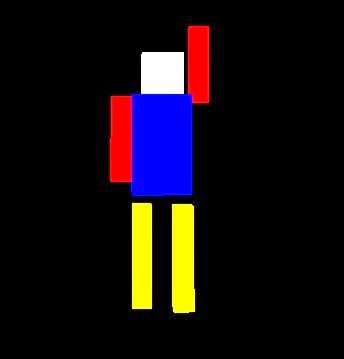
Simple Animated Robot OpenGL mini projects for 6th sem
Computer graphics projects for 6th semester student of VTU is vital as it help them learn the graphics. Today we have a simple animated robot OpenGL mini projects for 6th sem. This computer graphics OpenGL projects is quite simple and easy to code as well as understand the implementation. Like the other OpenGL projects on this blog we have many things to learn from this.
The robot is quite simple.
The animation is auto, so as program execute robot
start moving.
Robot animate at same place and at same pace. No
forwards or backward movement.
There is no interaction (neither the mouse nor the
keyboard). You have to add one if you like to submit this project.
There are few benefits as well
It is easy to understand the codes as only primitive objects has been used.
Every piece of code is commented.
A simple but worthy project for student who don't want to waste much time on coding and getting the stuff harder.
Download Program Source Code here Download Full Project Report here
Here is a list of OpenGL mini projects (Computer Graphics) that includes source codes and full reports. The students belonging to third year computer science and information science can use these projects as mini projects.